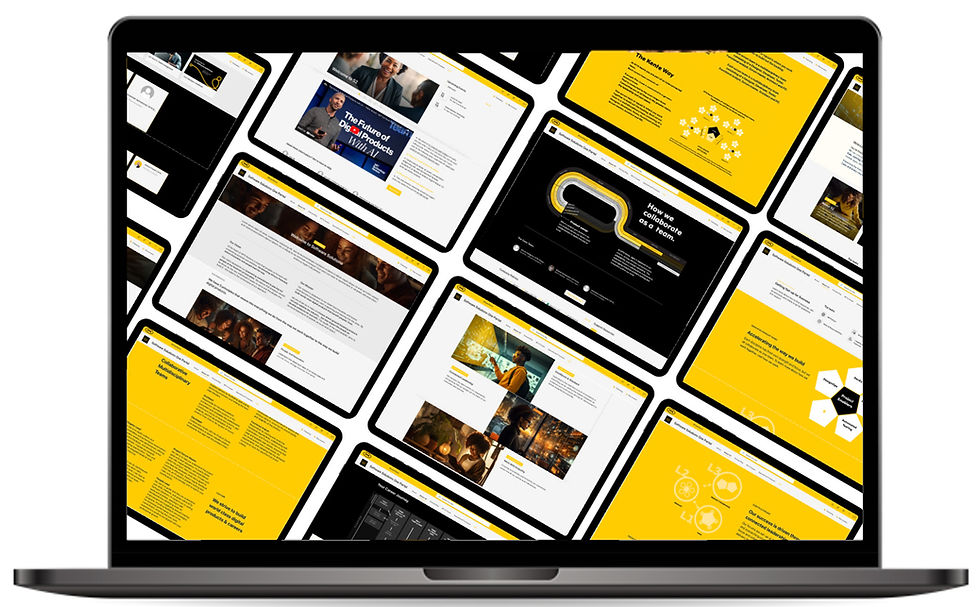
One Portal
Creating an intranet for software centre of excellence
Client
Tech-Telco
Key deliverables
Content Mapping | User Journey's | User Archetypes | Platform UI | Testing | Roadmap
Timeline
1.5 months
Team
Solo project with oversight from capability lead
The Challenge
The software solutions team is facing the challenge of having internal processes on disparate systems that are not organised, accessible, or easily discoverable for everyone. This leads to decreased productivity, confusion among team members, and potential inconsistencies in how processes are followed. The team is asking for a solution that will provide a centralised, easily accessible platform/ system for documenting and accessing information on various internal processes and policies and will be easy to navigate, update, and scale as Software solutions grows.
The Process
-
Collected all relevant documents related to internal processes and policies from various disparate systems.
-
Held discussions with stakeholders to assess the progress of business documents and clarify objectives.
-
Engaged with team members to identify desirable features and gather insights on their pain points with the current systems.
-
Created a content map outlining the structure and organisation of the information to be included in the intranet.
-
Designed user flows to illustrate how users would navigate the intranet and access information.
-
Evaluated the technical feasibility of implementing the desired features and functionality.
-
Conducted a comparative analysis of potential platforms, ultimately deciding on SharePoint as the best fit.
-
Designed and mocked-up screen designs for buy-in and alignment with key stakeholders.
-
Adapted the UI design based on SharePoint’s capabilities and user needs identified during the feature identification phase.
-
Built the SharePoint intranet site from scratch, integrating the necessary features and content.
-
Developed and wrote communication materials to announce the launch of the new intranet to the team.
-
Launched the intranet and collected feedback for future improvements and iterations.
The Solution
Following discussions, we concluded that building an interface that can help surface all the policies in one place that is easily accessible to everyone would be the best way to fix the issue and thus have decided to build a team wide SharePoint intranet. This will be linked to the different policies and pieces of information sitting on different platforms and making the most pertinent information easy to access and locate.
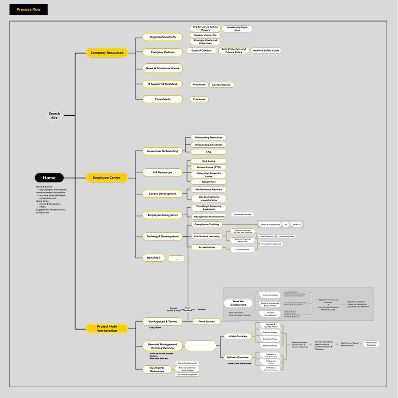
Site & Content Map
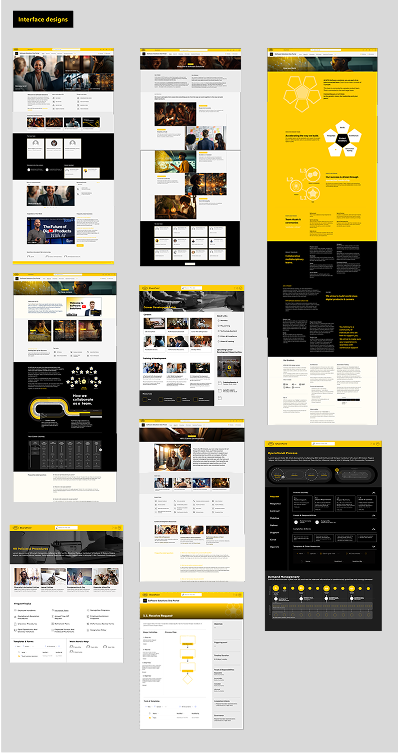
UI Designs Built on Sharepoint
Outcomes and Impact
-
SharePoint intranet consolidating all internal processes and policies.
-
Enhanced navigation and discoverability for team members.
-
A content map outlining the structure of the intranet.
-
User flows guiding the user experience on the platform.
-
A comparative analysis of potential platforms leading to the selection of SharePoint.
-
UI screen designs tailored for the SharePoint interface.
-
A governance structure to guide future updates and iterations of the intranet.
-
Communication materials for the launch to ensure smooth adoption by the team.
Limitations & Learnings
Through this project, I learned the importance of collaboration and stakeholder engagement in identifying user needs and desirable features. I gained valuable experience in creating content maps and user flows, which helped clarify the structure of the intranet. Additionally, I developed a deeper understanding of SharePoint as a tool for building scalable and accessible platforms, as well as the significance of establishing a governance structure to support ongoing evolution. This project reinforced the value of creating centralised systems to improve productivity and consistency within teams.